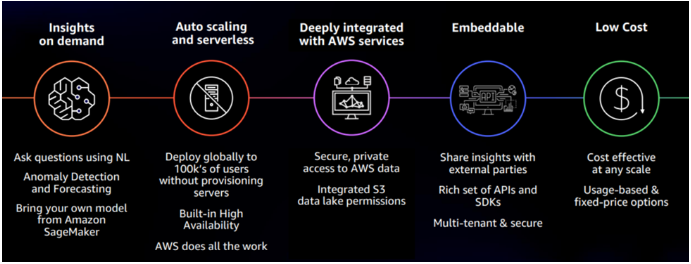
Amazon QuickSight – Functionalities
some key functionalities of Amazon QuickSight
Data visualization
QuickSight allows you to create a wide range of visualizations, including bar charts, line charts, pie charts, scatter plots, and more. You can use these visualizations to explore and analyze your data, and create dashboards to share your insights with others.
Data analysis
QuickSight provides a range of tools and features that you can use to analyze your data, including filters, grouping, and aggregations. You can use these tools to drill down into your data, and uncover trends, patterns, and relationships.
Data storytelling
QuickSight allows you to create interactive dashboards that tell a story with your data. You can use QuickSight to create a narrative around your data, and share it with others in an engaging way.
Data collaboration
QuickSight allows you to share your dashboards and visualizations with colleagues, customers, or partners. You can use QuickSight to collaborate on data analysis projects, and work together to discover insights and make informed decisions.
Data security
QuickSight integrates with AWS Identity and Access Management (IAM) to provide fine-grained access control and data security. You can use IAM to control who has access to your data and dashboards, and ensure that your data is protected.