Git GUI
The native Git environment is in the terminal. All new features are updated at the command line, and that’s where Git’s full power comes through. Plain text doesn’t always work for everyone; sometimes users like a point-and-click interface, a visual representation does.
Note : There’s nothing these graphical clients can do that the command-line client can’t; the command-line is still the most powerful.
Working with GUI
Using Git GUI, you can make new commits, amend existing ones, create branches, merge local repositories, and fetch/push remote repositories.
Installing Git on Windows is the first thing we need to do; here are the steps:
Step 1: Download Git for Windows and install it.
Step 2: Use the default settings for each step of the installation.
Step 3: Remove the Git Bash desktop icon.
Step 4: Make a desktop shortcut for Git. Click Start > All Programs > Git > Git GUI.
How to use Git GUI
Step 1 : Creating Remote Repository :
We’ll create a Git repository on Github now.

Step 2: Create a Local Repository
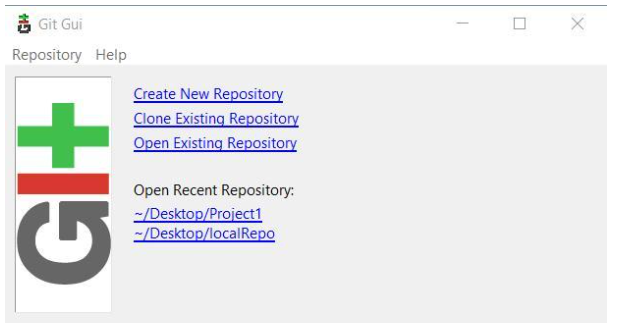
We’ll show you how to make a local repository in our Git GUI. Click “Create New Repository” and choose a location.We’ll show you how to make a local repository in our Git GUI. Click “Create New Repository” and choose a location.

First, you need to create a file, any file, in your local repo. Then, commit and push it to the remote Git repository
Step 3:To clone an existing repository
In the Git GUI window, click the “Clone Existing Repository” link. An existing repository is one that’s already been created and/or has commits pushed.
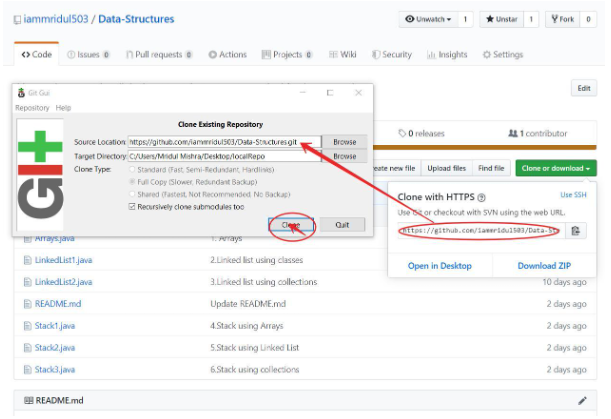
Note: Fill in the Git remote repository location. The target directory works the same as a local repository. Git will try to create it, and it will fail if it already exists.
Working with the GUI Client
It’s easy to perform Git-related tasks, like staging changes, committing, and pushing.
Staged Changes:
In the “Unstaged Changes” window, we see all the files that have been added, removed, updated, etc. When we click “Stage Changed“, Git will try to add all the new files.
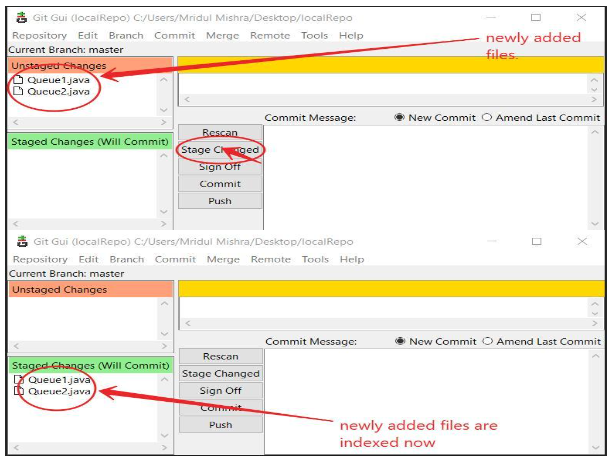
Git Equivalent Command:
git add file_name
git status
Commits
We need to commit your changes to your local repository once we’ve staged them. Write a Commit Message that makes sense.
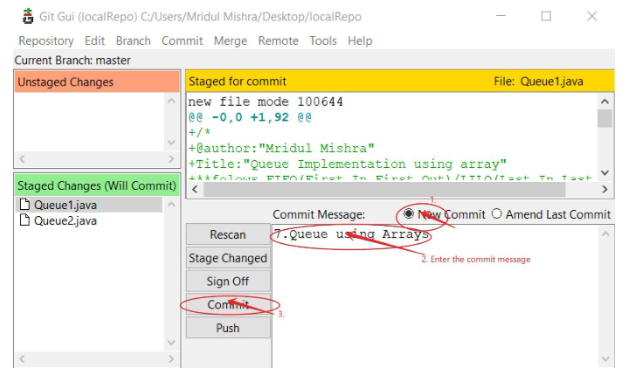
Git Equivalent Command:
git commit -m "message"Pushing
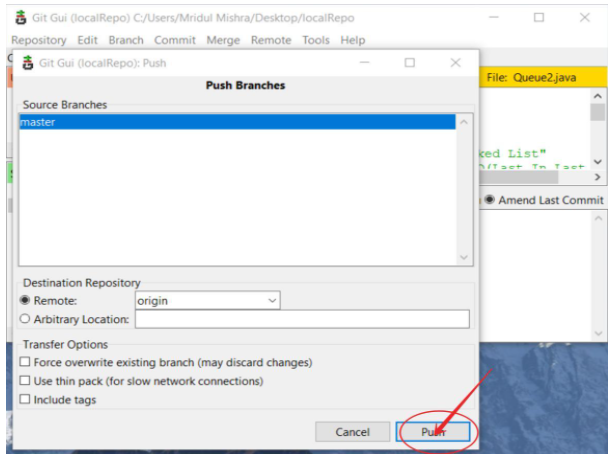
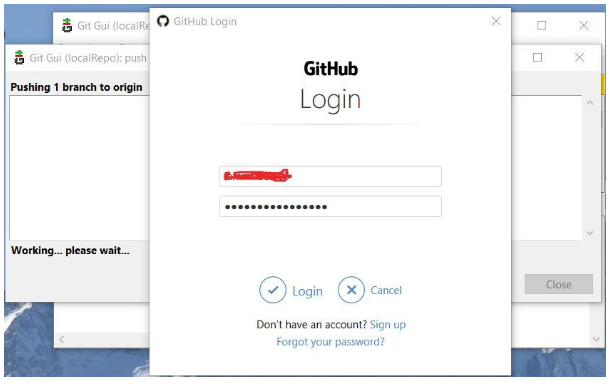
When we’re done committing all the codes in the local repository, we need to push them to our remote repository on GitHub. Without pushing the changes, other people won’t be able to see them.
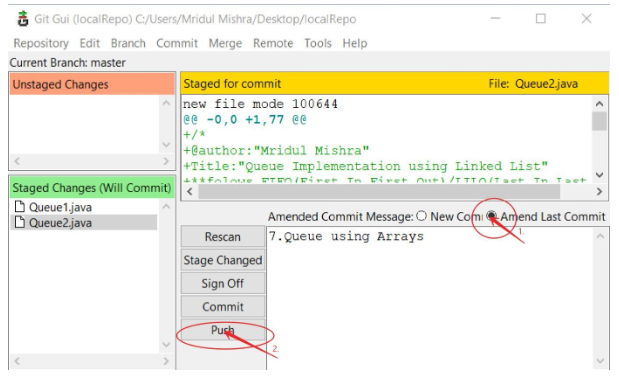 We need to set up a place to push first. Most people call this “origin”. An origin is the remote repository from which a project was cloned in Git. More precisely, it replaces the original repository’s URL – so it’s much easier to reference.