HTML Classes:
The HTML class attribute is used to provide a class for an HTML element.
Class Attribute in HTML:
The HTML class attribute is used to provide a single or multiple class names for an HTML element. It can also be used by CSS and JavaScript to do some tasks for HTML elements.
- A class attribute can be defined within <style> tag or in a separate file using the (.) character.
- In an HTML document (file), we can use the same class attribute name with different elements.
Defining an HTML class:
To create an HTML class, firstly define style for HTML class using <style> tag within <head> section.
Example:
<!DOCTYPE html>
<html>
<head>
      <style>
             .headings{
                   color: lightgreen;
                   font-family: cursive;
                   background-color: black; }
      </style>
</head>
<body>
<h1 class="headings">This is first heading</h1>
<h2 class="headings">This is Second heading</h2>
<h3 class="headings">This is third heading</h3>
<h4 class="headings">This is fourth heading</h4>
</body>
</html>
OUTPUT:


Class Attribute in JavaScript:
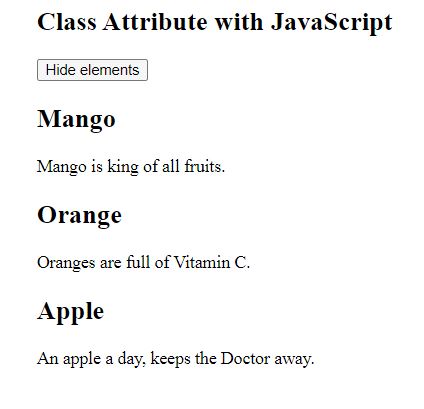
You can use JavaScript access elements with a specified class name with the getElementsByClassName() method.
Example:
<!DOCTYPE html>
<html>
<body>

<h2>Class Attribute with JavaScript</h2>


<button onclick="myFunction()">Hide elements</button>


<h2 class="fruit">Mango</h2>
<p>Mango is king of all fruits.</p>

<h2 class="fruit">Orange</h2>
<p>Oranges are full of Vitamin C.</p>

<h2 class="fruit">Apple</h2>
<p>An apple a day, keeps the Doctor away.</p>

<script>
function myFunction() {
 var x = document.getElementsByClassName("fruit");
 for (var i = 0; i < x.length; i++) {
  x[i].style.display = "none";
 }
}
</script>

</body>
</html>
OUTPUT:

Multiple Classes:
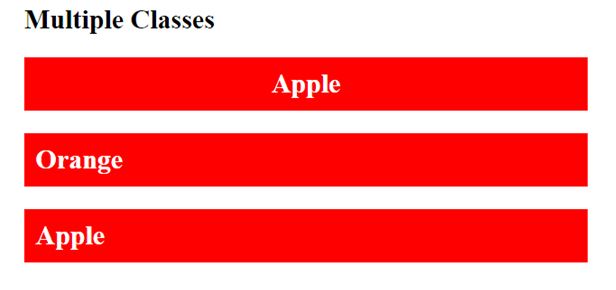
To define multiple class names (two or more) with HTML elements. Classes’ names must be separated by a space.
Example:
<!DOCTYPE html>
<html>
<style>
.fruit {
   background-color: red;
   color: white;
   padding: 10px;
 }
.center {
  text-align: center;
}
</style>
<body>
<h2>Multiple Classes</h2>
<h2 class="fruit center">Apple</h2>
<h2 class="fruit">Orange</h2>
<h2 class="fruit">Apple</h2>
</body>
</html>
OUTPUT:

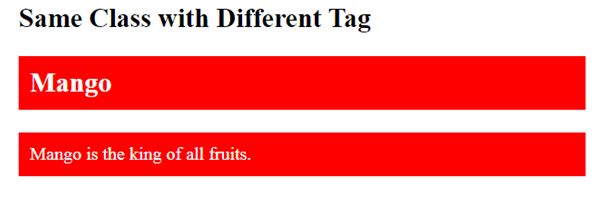
Same class with Different Tag:
Same class name with various tags like <h2> and <p> etc. to share the same style.
Example:
<!DOCTYPE html>
<html>
<style>
.fruit {
  background-color: red;
  color: white;
  padding: 10px;
}
</style>
<body>
<h2>Same Class with Different Tag</h2>
<h2 class="fruit">Mango</h2>
<p class="fruit">Mango is the king of all fruits.</p>
</body>
</html>
OUTPUT: