

Javascript-Modules
The module is a file that contains code to perform a specific task. A module may contain variables, functions, classes, etc.
JavaScript modules use us to modularize the code simply(easy) by partitioning the entire code into modules that can be imported from anywhere.
Exporting and Importing a Module:
Exporting a Module:
JavaScript exports a function, objects, classes, and primitive values by using the export keyword. There are two kinds of exports:
Named Exports: The exports that are distinguished with their names are called named exports. We can export multiple variables and functions by using the javascript named export.
Default Exports: Only one value that can be exported by using the default export.
Importing a Module:
To import a module, we need to define the import keyword. The values which are exported from the module can be imported by defining the import keyword. We can import the javascript exported variables, functions, and classes in another module. To import a module, we simply have to specify its path.
When you import the named export, you must have to define the same name as the corresponding object. When you import the default export, we can define any name of the corresponding object.
Named Exports and Imports:
Named exports are distinguished by their names. The class, variable, or any function which is exported by specifying the named export can only be imported by using the same name.
various variables and functions can be imported and exported by using the named export.
Syntax:
//Named export in class
class Nokia{
//properties
//methods
}
export {Nokia}; //Named export

//Named export in functions
function show(){
}
export {show};

//Named export in Variables
const a = 10;
export {a};
We can use the syntax of variously named exports in a module as follows:
Mobile.js
class Nokia{
//properties
//methods
}
function show(){
}
const a = 10;
export {Nokia, show};
Importing the Named export:
We have to use the static import statement. The imported modules are in the strict mode, and whether we declare them in strict mode or not.
Syntax:
App.js:
import {Nokia, show} from './Mobile.js';
Example:
HTML:
<!DOCTYPE html>
<html lang="en">
<head>
  <meta charset="UTF-8">
  <meta name="viewport" content="width=device-width, initial-scale=1.0">
  <meta http-equiv="X-UA-Compatible" content="ie=edge">
  <script type = "module" src = "App.js"></script>
  <title>Document</title>
</head>
<body>
  <h1>ES6 Modules import and export</h1>
</body>
</html>
Mobile.js:
class Display{
  show(){
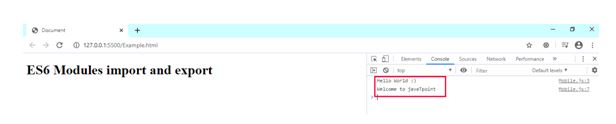
    console.log("Hello World :)");
  }
}
function javaT(){
  console.log("Welcome to javaTpoint");
}
export {Display,javaT};
App.js:
import {Display,javaT} from "./Mobile.js";
const d = new Display();
d.show();
javaT();

Default Exports and Imports:
Syntax:
//Default export in class
class Nokia{
//properties
//methods
}
export default Nokia; //Default export

//Deafult export in functions
function show(){
}
export default show;

//Default export in Variables
const a = 10;
export default a;
Example:
HTML:
<!DOCTYPE html>
<html lang="en">
<head>
  <meta charset="UTF-8">
  <meta name="viewport" content="width=device-width, initial-scale=1.0">
  <meta http-equiv="X-UA-Compatible" content="ie=edge">
  <script type = "module" src = "App.js"></script>
  <title>Document</title>
</head>
<body>
  <h1>ES6 Modules import and export</h1>
  <h2>Default import and export</h2>
</body>
</html>
Mobile.js
class Display{
     show(){
       console.log("Hello World :)");
       console.log("Default Import and Export Example");
     }
  }
  export default Display;
App.js
import Display from "./Mobile.js";
const d = new Display();
d.show();
OUTPUT:

