
Kubernetes – Creating an App
For Kubernetes deployment, we have to first create the application on Docker. There are two ways to do this.
- By downloading
- From Docker file
By Downloading
Docker hub can be used to download the existing image and store it on the local Docker registry.
Run Docker pull to do that.
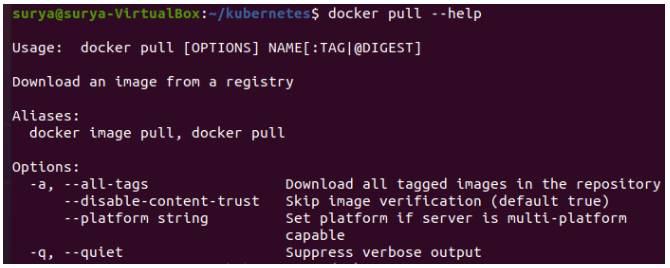
Here’s what the code above will produce.
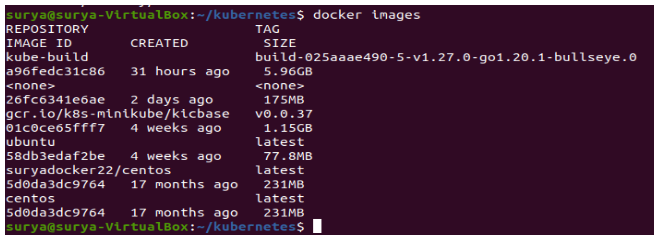
A screenshot of our local Docker registry shows a set of images.
We can use Docker run to build a container from an image that contains an application to test.
$ sudo docker run –itd unbuntu /bin/bashFrom Docker File
We must first create a Docker file before we can create an application from it.
The following is an example of a Jenkins Docker file.
FROM ubuntu:14.04
MAINTAINER nsvamsi.1234@gmail.com
ENV REFRESHED_AT 2017-01-15
RUN apt-get update -qq && apt-get install -qqy curl
RUN curl https://get.docker.io/gpg | apt-key add -
RUN echo deb http://get.docker.io/ubuntu docker main > /etc/apt/sources.list.d/docker.list
RUN apt-get update -qq && apt-get install -qqy iptables ca-certificates lxc openjdk-6-jdk git-core lxc-docker
ENV JENKINS_HOME /opt/jenkins/data
ENV JENKINS_MIRROR http://mirrors.jenkins-ci.org
RUN mkdir -p $JENKINS_HOME/plugins
RUN curl -sf -o /opt/jenkins/jenkins.war -L $JENKINS_MIRROR/war-stable/latest/jenkins.war
RUN for plugin in chucknorris greenballs scm-api git-client git ws-cleanup ;\
do curl -sf -o $JENKINS_HOME/plugins/${plugin}.hpi \
-L $JENKINS_MIRROR/plugins/${plugin}/latest/${plugin}.hpi ; done
ADD ./dockerjenkins.sh /usr/local/bin/dockerjenkins.sh
RUN chmod +x /usr/local/bin/dockerjenkins.sh
VOLUME /var/lib/docker
EXPOSE 8080
ENTRYPOINT [ "/usr/local/bin/dockerjenkins.sh" ]
Run the following command once the above file has been created and saved with the name Dockerfile.
$ sudo docker build -t jamtur01/Jenkins .We can test the image to see if it works and can be converted to a container once it’s built.
$ docker run –i –t jamtur01/Jenkins /bin/bash