
Kubernetes – Replication Controller
A key feature of Kubernetes is the Replication Controller, which manages pod lifecycles. It makes sure the specified number of pods are running at all times. You can use it when you want to be sure that the specified number or at least one pod is running. It can raise or lower the specified number of pods.
Rather than creating a pod over and over again, use the replication controller to manage pod lifecycles.
apiVersion: v1
kind: ReplicationController --------------------------> 1
metadata:
   name: Tomcat-ReplicationController --------------------------> 2
spec:
   replicas: 3 ------------------------> 3
   template:
      metadata:
         name: Tomcat-ReplicationController
      labels:
         app: App
         component: redis
      spec:
         containers:
         - name: Tomcat- -----------------------> 4
         image: tomcat: 8.0
          ports:
            - containerPort: 7474 ------------------------> 5
Setup Details
- Kind: ReplicationController
By defining kind as replication controller, we tell kubectl that the yaml file will be used to create the replication controller.
- name: Tomcat-ReplicationController
This helps identify the name by which the replication controller will be created. If we run kubectl, get rc < Tomcat-ReplicationController >, it will display the replication controller details.
- replicas: 3
At any point in the lifecycle of a pod, the replication controller needs to maintain three replicas of the pod.
- name: Tomcat
The name tomcat is defined in the specs, so the replication controller knows that the container inside the pods is tomcat.
- containerPort: 7474
The port 7474 will be exposed on all nodes in the cluster where the pod is running the container inside the pod.
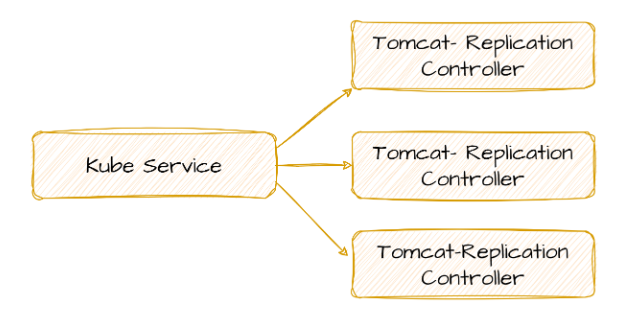
Kubernetes is here serving as a load balancer for three Tomcat replicas.