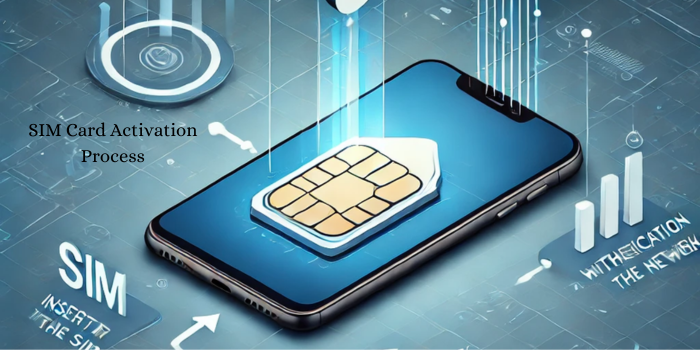
SIM Card Activation Process: How Your Device Connects to the Network
Today, there are various international SIM cards, like TSIM, which allow you to stay connected while traveling abroad without any hassle. Be it as a conscious business traveler, which demands continuous interconnectivity globally or a social traveler that seeks to capture every scenario during your road trip, TSIM Card Activation Process is amongst the checklists to go through. Your device might become completely useless if you cannot achieve activation, leaving you stranded without a communication device. Travelers should also be careful of TAFCOP to ensure systems for mobile connections are registered appropriately so as to prevent fraudulent mobile connections from being issued in your name and further boost the connectivity you will receive with your international SIM card.
The step comes when you activate a TSIM card, ensuring your device connects to the best network available in your destination country. Allowing TSIM cards to switch between different networks, allows for optimal performance and communication. But how does this process work exactly? Why do we have to do this activation step? And how do you solve any problems that might arise? Now let’s detail how the activation of the TSIM card works and how it keeps your device connected anywhere around the world.
TSIM Card: What is it and Why You Would Want One?
What is A TSIM card: A TSIM card is a travel SIM card, that provides travelers with cost-effective international roaming solutions. It gives you access to multiple networks around the world so you don’t have to change SIM cards each time you enter a different country. These TSIM cards have different plans to choose from with voice, text, and also data, making it possible for travelers to remain connected without rocket-high roaming bills.
A TSIM card enables you to keep your local number without changing SIMs in new countries. It automatically connects your device to the best available local network for any given location. For these nomads, such technology is changing the rules, making it now easier to stay connected without all the inconvenience of purchasing local SIM cards in each country. TSIM cards are perfect for business travelers who want to stay connected with clients, check emails, and also work on the go.
In addition, TSIM cards have been activated with other plans that enable customers to enjoy more competitive prices compared to conventional roaming programs offered by most telecom operators. They offer multiple regions like Europe, Asia, North America, etc. and are a one-stop solution for global connection. We provide flexibility and convenience to travelers around the world, as they work with many devices, including smartphones, tablets, and portable Wi-Fi routers.
The TSIM Card Activation ProcessExplained
Activating your TSIM card is the initial and most significant step to connect your device to the network. A SIM stored without activation will not be able to connect to any network, thus rendering your device unable to call, text, or use mobile data. The TSIM card activation process is straightforward and easy to follow, so travelers can quickly get connected without needing technical expertise.
This activation starts as soon as you place (insert) the TSIM card into your device. It searches for networks around you and automatically adjusts the required settings for a stable connection. But there are cases where two intervention is required, like selecting a network or setting the device’s APN settings. Knowing these steps will allow you to troubleshoot connectivity issues and ensure a smooth activation experience.
How to Activate Your TSIM Card: Step by Step
Step 1: Insert the TSIM card into your device
Carefully take the TSIM card out of the package and insert it in the SIM card slot on your device. Make sure that, for dual SIM-enabled devices, you put TSIM in the first slot since the first slot is usually the one used for grabbing mobile data and connecting to the network.
Step 2: Power On Your Device
Insert your SIM card into your device and turn your device on. For most modern smartphones, when you put in the new SIM card, it will detect it automatically and guide you through the necessary configurations. If it doesn’t do this, you can do the manual configuration step.
Step 3: Automatic Network Detection and Registration
TSIM cards automatically find and connect to the strongest local network usually. And this process may last in minutes to seconds. In this period, your device searches for compatible networks, initializing registration with the best available provider.
Step 4: let us send the activation confirmation message.
Once registered successfully, you will be notified and your TSIM card will be activated and ready for use. If you do not get this message, you may need to restart your device or set the network options manually.
Step 5: Restart Your Device
This fully applies all settings to the device by restarting it. It is a necessary step to complete the activation process and allow secure linkage to the network. Mobile network data may not be accessible without restarting your device or your device may not connect to the right network.
How the Device Further Connects to the Network Post Activation
When your TSIM card is activated, the device connects to the network by building a link with the nearest cell tower. TSIM cards use a method called network roaming, which enables them to hop to another network to preserve a strong connection. Whatever your location there goes this process also keeping you secured with reliable calls, messages, and mobile data.
Global TSIM are programmed with multiple international carriers and can connect to the strongest TSIM. It means it constantly searches for the best coverage and seamlessly joins the best network as you travel from one country to another or between different regions. With this seamless transition, travelers can enjoy uninterrupted connectivity without dropped calls or slow data speeds.
How To Verify TSIM Card Using Tafcop Portal
This portal is essential in verifying the sim validity of the users and avoid mobile connection misuse. The portal provides a facility for checking the number of SIMs registered in the name of the person and reporting additional Soulmate connections, if any. Users can easily check their mobile connections and terminate any suspicious numbers using the Tavcop Portal.
As SIM related frauds are increasing day by day, the Tafcop Portal gives users better control of their registered connections. It acts as a safe place to handle a range of SIMs, making #mobile numbers of those in violation of the law simpler for people to manage. It is very important to verify your SIM through the Tafcop Portal while travelling, either with a TSIM card, or if you are using it for business.
Troubleshooting Common Activation Issues
The activation process for TSIM cards is pretty simple but some users face issues while activating their TSIM cards. Here’s how to diagnose common issues:
- No Network Detected
- If after inserting the TSIM card your device does not detect a network, here’s what to do:
- Head to Settings / Network & Internet / Mobile Networks and manually select a network.
- So Switch between 3G, 4G, and LTE If the device connects to any available network.
- Reboot Hands Free to reconfirm systemmodules.
SIM Not Valid or SIM Not Present
Make sure the SIM is in properly and clearing out the SIM card slot of any dust or grime. If the SIM still has no signal in a different device, there may be a problem with the actual card and not the phone.
No cellular data or connection is slow
Outdated or Incorrect Access Point Name (APN) settings can cause slow data or no data access at all. If you cannot access the internet, make sure your APN settings are configured accurately: Go to Settings > Network > APN and fill in the required fields with TSIM’s incisive information.
Security & Compliance under Tafcop Portal
Aside from verifying the legitimacy of your TSIM card, the Tafcop Portal also prevents unauthorized use while making sure that the telecom rules and policies are observed. The portal provides regular checks to identify the number of active SIMs registered under each person as well as any potential misuse. So for you travelers who constantly change your home SIM card, always has its defense against fraud and unauthorized connections.
Network Compatibility: How To Set It Up For Success
TSIM cards are universal to most mobile networks globally. They are dual frequency and work across GSM, LTE, and 5G, so you are always connected to the latest and greatest that the network has to offer and will be for some time. By switching to the most appropriate network, TSIM cards can provide a stable connection even in remote areas with limited coverage.
TSIM cards also work on most unlocked devices such as Android smartphones, Apple iPhones, tablets, and portable Wi-Fi routers. They support any device with which the TSIM card can provide international roaming, allowing you to remain on the go.
After Activation, Restart Your Device — Here’s Why
So the next step would be to restart your device after inserting a TSIM card, this is important for your device to be able to configure the networks properly. This action forces the device to reconnect to the network and installs any necessary updates. Failure to do so can result in new network settings being on standby but not activated until a full restart, meaning that some information will not be accessed until later and can cause disruptive connectivity. The reason Restarting helps is, it fixes any glitches or errors during the activation process.
What are APN Settings and Why Do We Need to Understand Them?
APN (Access Point Name) settings are important to ensure that your device can browse the internet after activating the TSIM card. APN settings describe how your device communicates with the carrier’s mobile network so that it can use data and MMS. Outdated or incorrect APN settings may lead to slow internet speed or no data connectivity.
- Setting up APN settings manually:
- On your device navigate to Settings > Mobile Networks > Access Point Names.
- Choose to add a new APN, input the settings provided by TSIM
- Click OK to save the settings and restart the device.
This can result in such internet issues being avoided and making the most of the TSIM card brought to you.
Frequently Asked Questions
How long it takes to activate a TSIM Card?
This usually takes just a few minutes, but may take as long as 24 hours up to 24 hours in some cases.
What to do if the device does not detect the TSIM card?
Reinsert the SIM, reboot your device, and manually select a network.
So can I use a TSIM card on any unlocked phone?
How does it fit in there: TSIM cards work on all unlocked GSM-enabled devices.
How does Tafcop Portal help us verify our SIMs?
Tafcop Portal helps to check and manage the number of SIMs given to a person and is a step to avoid any fraud.
After the TSIM card is inserted, is it necessary to change APN setting?
APN settings update automatically in most cases. But if necessary, enter the correct APN settings manually.
What should I do if my TSIM card is not activated correctly?
If you do not see that within 24 hours, you should contact customer support.
Conclusion
The process is crucial because the TSIM card activation process allows your device to connect to the best network possible, and therefore, you get connectivity wherever you are visiting. So, you can follow the activation process, troubleshoot common issues, and verify your SIM using the Tafcop Portal to enjoy a secure and reliable connection. Whether you are traveling for business or leisure, these few steps ensure that you stay connected, without interruptions. TSIM also allows you to maintain contact with friends and family no matter where you are in the world, staying updated when away.